How to Speed Up Your WordPress Site (6 Fixes That Actually Work)
WordPress running slow? These 6 simple fixes cut load times in half. No technical skills needed. Start with hosting—it makes the biggest difference.

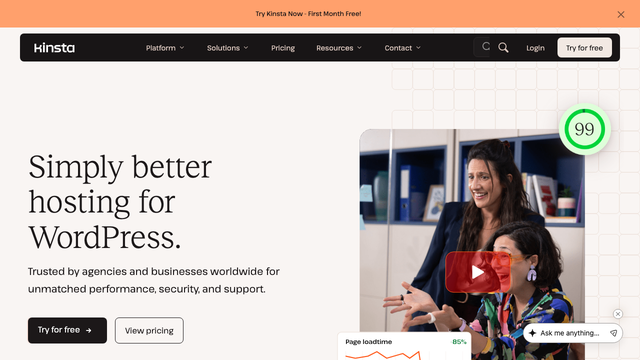
My site was taking 8 seconds to load
Last month, a client called me panicking. Their WordPress site was crawling—8-second load times, bounce rates through the roof. "We tried a caching plugin," they said. "Didn't help."
Turned out the problem wasn't caching. It was their $3-a-month shared hosting trying to serve a site with 40 plugins and unoptimized images. Some fixes are complicated. This wasn't one of them.
Here's what actually moves the needle on WordPress speed.
Start with hosting (it's 70% of the problem)
Most WordPress speed advice skips this part. People talk about image compression and minifying CSS while their site sits on hardware from 2015. That's like tuning a bicycle engine.
Shared hosting works fine for brochure sites. But if you're running WooCommerce, using page builders, or getting decent traffic, you need something built for WordPress specifically. The difference isn't subtle—we're talking 2-3x faster load times just from switching.
Images are probably your biggest files
I looked at a client's site last week. Home page was 4.2MB. Know what took up 3.8MB? Five hero images that were never compressed.
WordPress has built-in image compression now, but it's not aggressive enough. Install Smush or ShortPixel—both compress automatically when you upload. Smush is free for most sites, ShortPixel handles more formats but costs about $5 a month.
The real trick: resize images before you upload them. Don't upload a 4000-pixel photo and let WordPress scale it down to 800 pixels. That's still loading the full file. Use Photoshop, Canva, or even Preview on Mac to get the dimensions right first.
Caching isn't magic (but it helps)
Everyone installs W3 Total Cache or WP Rocket and expects miracles. Caching helps, especially for repeat visitors, but it won't fix fundamental problems.
If your hosting is good, try WP Rocket—it's $59 but handles everything automatically. If you're on a budget, WP Super Cache is free and works fine. Just don't expect either one to turn a slow site into a fast one if your hosting and images aren't sorted out first.
Some hosts handle caching at the server level, which is faster than any plugin. Worth asking before you buy a caching plugin.
Kill the plugins you don't use
I've seen WordPress sites with 60+ active plugins. Page builders, SEO tools, social media widgets, contact forms, galleries, security scanners—every problem solved with another plugin.
Deactivate anything you haven't used in the last month. Delete (don't just deactivate) plugins you're sure you don't need. Each active plugin adds database queries and PHP processing time.
The heaviest plugins are usually page builders, social media feeds, and anything that loads external content. If you're using Elementor or Divi, make sure you actually need all their features. Sometimes a simpler theme does 90% of what you want with half the overhead.
Database cleanup makes a difference
WordPress keeps everything. Every revision of every post, every spam comment, every plugin's leftover data. Over time, this slows down database queries.
WP-Optimize is free and cleans most of this automatically. Run it monthly. It'll remove post revisions, spam comments, and optimize your database tables. Takes about five minutes and usually shaves 10-20% off load times.
Don't go crazy with this—keep at least a few post revisions in case you need to revert something. But you probably don't need 47 versions of your About page.
Consider a CDN (but not for the reason you think)
Content Delivery Networks (CDNs) serve your images and files from servers closer to your visitors. Everyone talks about how this speeds up global load times. That's true, but the bigger benefit is taking load off your main server.
Cloudflare has a free tier that works with most WordPress sites. Just change your DNS settings and it handles the rest. For busier sites, their paid plans add more optimization features.
Some WordPress hosts include CDN in their plans. Check before you pay for a separate service.
Alternative hosting options worth considering
The one thing that won't help
Minifying CSS and JavaScript. Every speed guide mentions this, every plugin offers it, and it usually saves about 0.1 seconds. Not nothing, but way down the priority list.
Fix your hosting, optimize your images, clean up your plugins. Those three changes will cut your load times in half. Everything else is optimization around the edges.
Start with hosting. It's the foundation everything else sits on.

Editor at Refresh. Spent 6 years testing VPNs so you don't have to.